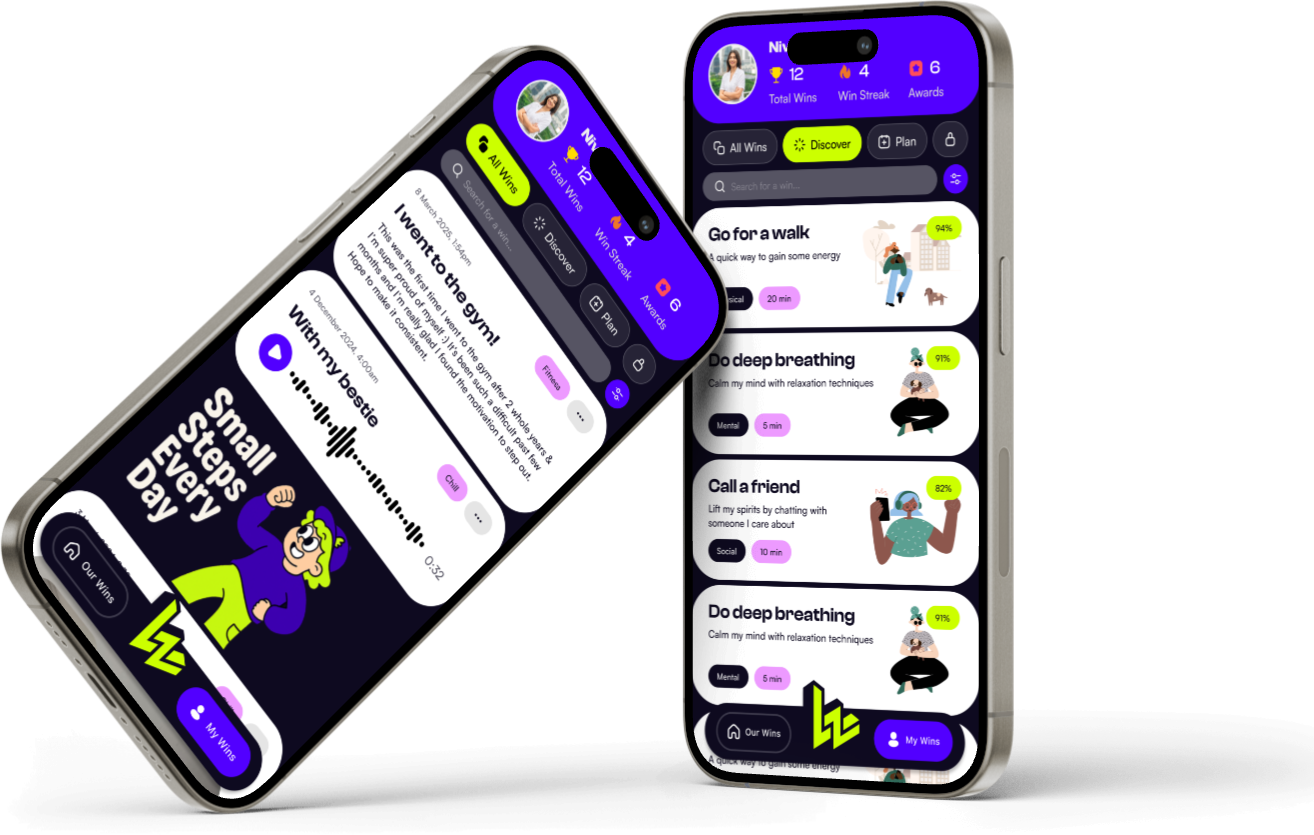
The Thesis & The Problem
In a world dominated by high-dopamine social algorithms and heavy gamification, the modern smartphone has become a primary driver of mental fatigue. Many habit trackers and self-help apps end up adding to this anxiety by forcing rigid daily streaks, heavy metrics graphs, and noisy push notifications.
We set out to build the opposite. Little Wins is designed as an anti-anxiety wellness companion. It gamifies self-improvement not by keeping you glued to the screen, but by encouraging physical, real-world tasks and helping you celebrate micro-milestones—like making your bed, drinking water, or writing a single line in a journal.
Core UX Philosophy: Celebrating small achievements creates natural, organic dopamine loops. Little Wins leverages sensory mechanics—tactile tactile haptics, slow spring-loaded animations, and soothing pastel dark tones—to make the act of logging a victory feel deeply satisfying and meditative.
Design Thinking: Soothing, Zero-Pressure UI
During the UI prototyping phase, we focused deeply on crafting a physical, tangible feel:
- Tactile Core Haptics: We implemented customized patterns using Apple's
Core Haptics engine. Marking a task as done gives a gentle, satisfying "pop" sensation that varies depending on the difficulty or value of the win.
- Privacy First: People write deep, personal reflections when logging wins. To guarantee absolute security, we do not sync reflections to a remote server. The entire app stores data locally using Apple's new SwiftData framework, backed by optional iCloud sync.
- Streak-Free Habit Building: Traditional habit trackers break your spirit if you miss a single day. Little Wins replaces streaks with a cumulative "garden" model where plants grow continuously based on your lifetime efforts, ensuring zero guilt.
On-Device Core Data Model
Below is a model representation of our local database structure using Swift's native SwiftData decoration layer:
import Foundation
import SwiftData
@Model
final class LittleWin {
@Attribute(.unique) var id: UUID
var title: String
var detailReflection: String?
var categorySymbol: String // SF Symbol name
var scoreValue: Int
var loggedAt: Date
init(title: String, detailReflection: String? = nil, categorySymbol: String = "sparkles", scoreValue: Int = 1) {
self.id = UUID()
self.title = title
self.detailReflection = detailReflection
self.categorySymbol = categorySymbol
self.scoreValue = scoreValue
self.loggedAt = Date()
}
}
@Model
final class GardenElement {
var id: UUID
var plantType: String
var growthProgress: Double // 0.0 to 1.0
var plantedAt: Date
init(plantType: String) {
self.id = UUID()
self.plantType = plantType
self.growthProgress = 0.1
self.plantedAt = Date()
}
}
CI/CD Pipeline & Xcode Cloud
To maintain rigorous app stability across different iOS devices (iPhone SE to iPad Pro screens), we integrated Xcode Cloud:
- Automated Visual Testing: Every commit triggers a headless simulator run, capturing snapshots of our complex gradients and visual transitions across 4 different device sizes.
- TestFlight Releases: Validated builds are compiled and distributed automatically to beta testers via App Store TestFlight groups, decreasing our feature-to-feedback cycle to under 2 hours.