Back to Projects
Back to Projects
INDOOR SPATIAL AWARENESS · AR

SpatialNav

An indoor spatial-awareness assistant for blind and low-vision users — iPhone LiDAR, on-device ML, spatial audio, and a haptic vocabulary combine into a genuine sixth sense indoors. No server, no account, no data collected.

github.com/Thet9354/SpatialNav
SpatialNav — LiDAR spatial-awareness assistant for blind users

Why This Exists

Canes and guide dogs are excellent at ground level. They cannot warn about a drop-off two steps ahead in an unfamiliar building, an open cabinet door at head height, or where you left your keys. A modern iPhone carries a LiDAR scanner, a neural engine, and an HRTF spatial-audio renderer — enough hardware to give a blind user a real sixth sense indoors. SpatialNav does that with production discipline rather than tech-demo shortcuts.

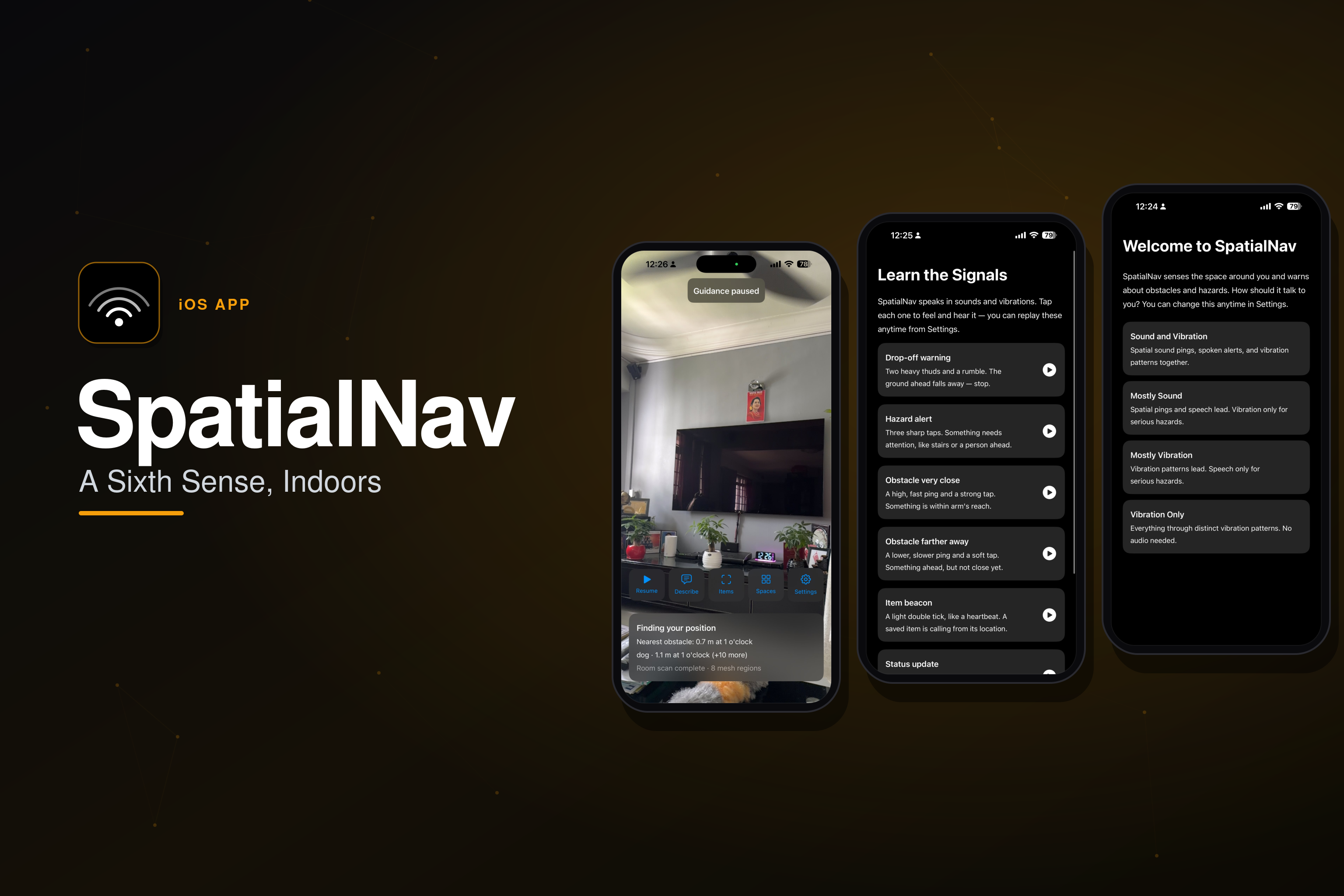
Point the phone forward and walk: obstacles ping from their true 3D direction like sonar, drop-offs and stairs trigger unmistakable warnings, everyday objects are recognised and located (“keyboard, 1 metre at 12 o'clock”), misplaced items guide you back with an audio beacon, and saved rooms are recognised when you return. Every signal travels through the user's choice of sound, speech, and vibration — including a fully audio-free profile for deaf-blind users.

Warn-first, never silent: when the thermal governor downshifts ML frame rate or sonar ray count under stress, the degradation is announced. A stuck relocalisation trips a 10-second watchdog that says “I can't recognise this space” and starts fresh rather than guiding on stale data.

Feature Overview

  • Sonar Mode: nine rays fan against the LiDAR scene mesh at 10 Hz; the nearest obstacle plays an HRTF-positioned ping from its real direction — higher and faster as it closes.
  • Drop-off & stairs detection: gravity-aligned floor probes compare ground height ahead; surface normals distinguish a stair tread from furniture at the same height.
  • Object recognition: YOLOv8-nano on the Neural Engine (5 fps gated) → each detection raycast into the scene for true world position, with temporal confirmation suppressing single-frame ghosts.
  • Item Finder: register an item by pointing at it (Vision feature-print + world anchor); a distinct audio beacon and clock-face guidance lead you back.
  • Saved Spaces: ARWorldMaps compressed and persisted; relocalisation restores your saved rooms.
  • Sensory profiles: sound-led, vibration-led, hybrid, or vibration-only (deaf-blind), taught on first launch by playing every signal.

Engineering Challenges Found in the Field

  • Pointing the phone up fired “drop-off ahead”: floor probes were camera-relative — made them gravity-aligned, with floor-plausibility gates and a three-sweep debounce.
  • A drawer front at step height read as “stairs up”: position alone can't distinguish a vertical face from a tread — raycast surface normals now gate every “walkable” judgment.
  • CHHapticEngine dies silently when AirPods connect: health-checked before every pattern, marked dead by reset handlers, rebuilt on demand with one retry.
  • Speech collisions: a priority-arbitrated speech queue — critical interrupts, equal waits, low drops when full; VoiceOver users route through UIAccessibility so VoiceOver arbitrates.

Testing

MVVM with a framework-free Domain layer, dependency-injected through a single composition root. ViewModels and use cases see only protocols — 148 unit tests run without a camera, plus an automated accessibility audit (Xcode's performAccessibilityAudit) in CI on every push, which has already caught three real contrast and layout issues.